Build the bench sheet
Bring the question presented, key facts, case citations, record locations, and main themes into one glanceable structure.
Prepare the argument ↗ See the system
A live bench sheet for appellate counsel
argue ready keeps the question presented, standard of review, authorities, record cites, and requested relief within reach while you answer the panel.
Opening themeWhy our client should prevail.
A private layer for the live argument.
The system
Build a compact board from the materials you already know: the question presented, standard of review, record, authorities, key themes, weak points, and relief.
Bring the question presented, key facts, case citations, record locations, and main themes into one glanceable structure.
Prepare the argument ↗Keep concise responses to weak points, likely questions, and the arguments you may need when the bench moves.
Rehearse the hard points ↗Preserve your place after an interruption, then come back to the next point without rebuilding the argument from memory.
Find the return path ↗The point is not another script. It’s keeping the question, answer, and record within reach.
— the argue ready principle
For oral argument
The hard part is not repeating the brief. It is conversing with the panel while keeping your theory, record, and path to relief within reach.
Start with the proposition the court must understand. Then give the argument a structure that can survive interruption.
Built for the courtroom
argue ready retrieves the prepared material you need to answer questions—case law, record cites, themes, weak points, and the path to relief—without trying to make strategy for you.
See the workflow ↗ArgueReady in action
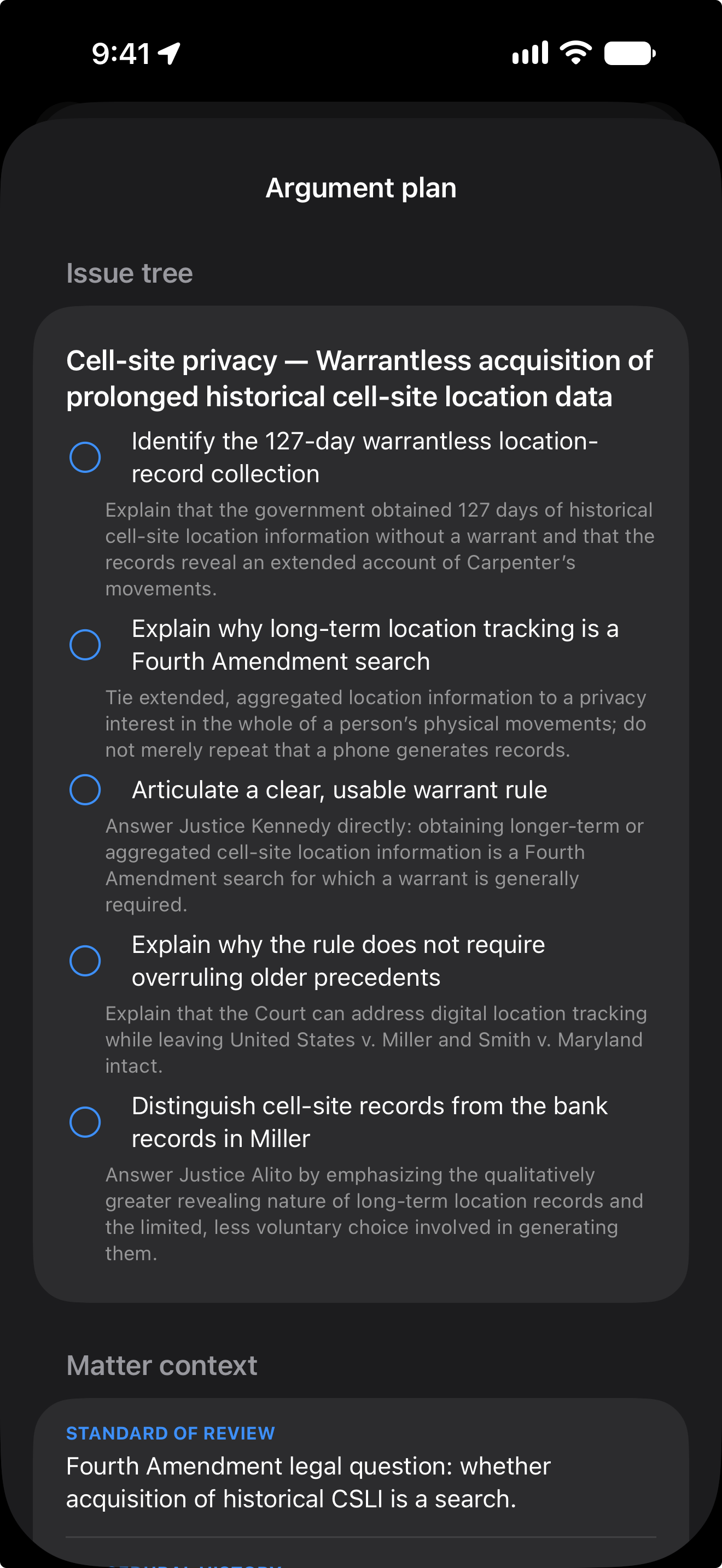
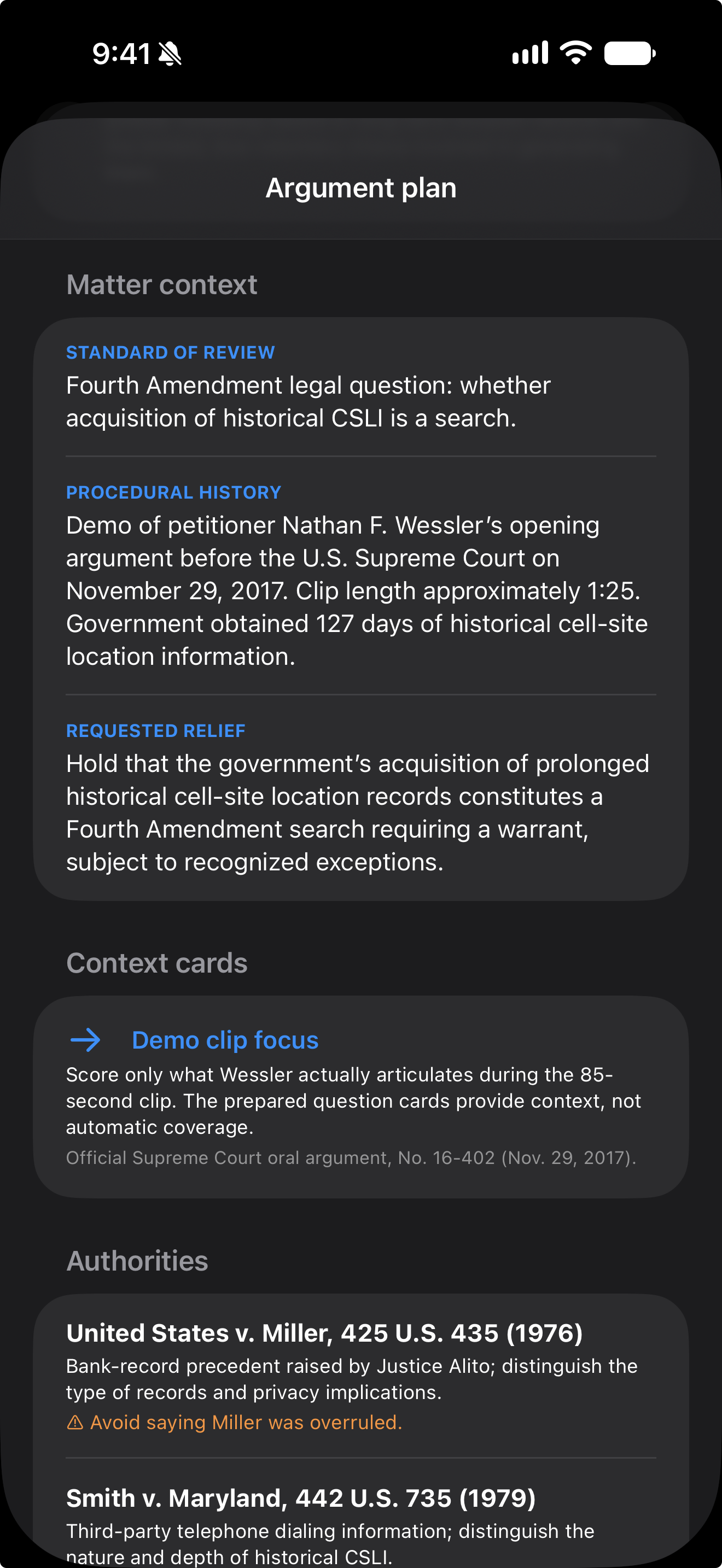
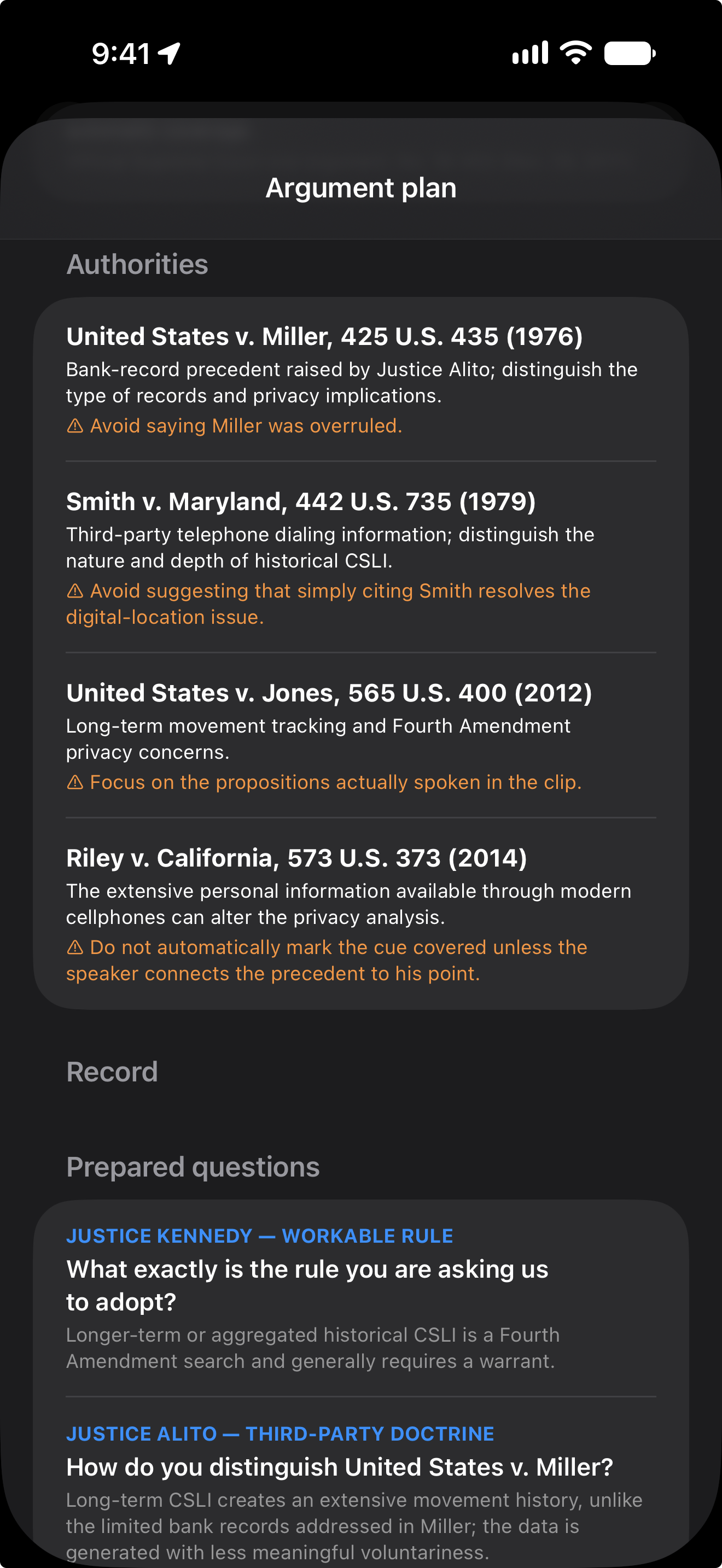
See how ArgueReady keeps the issue tree, authorities, context, and privacy choices close during a live oral-argument rehearsal.
Open the ArgueReady demo on YouTubeA closer look
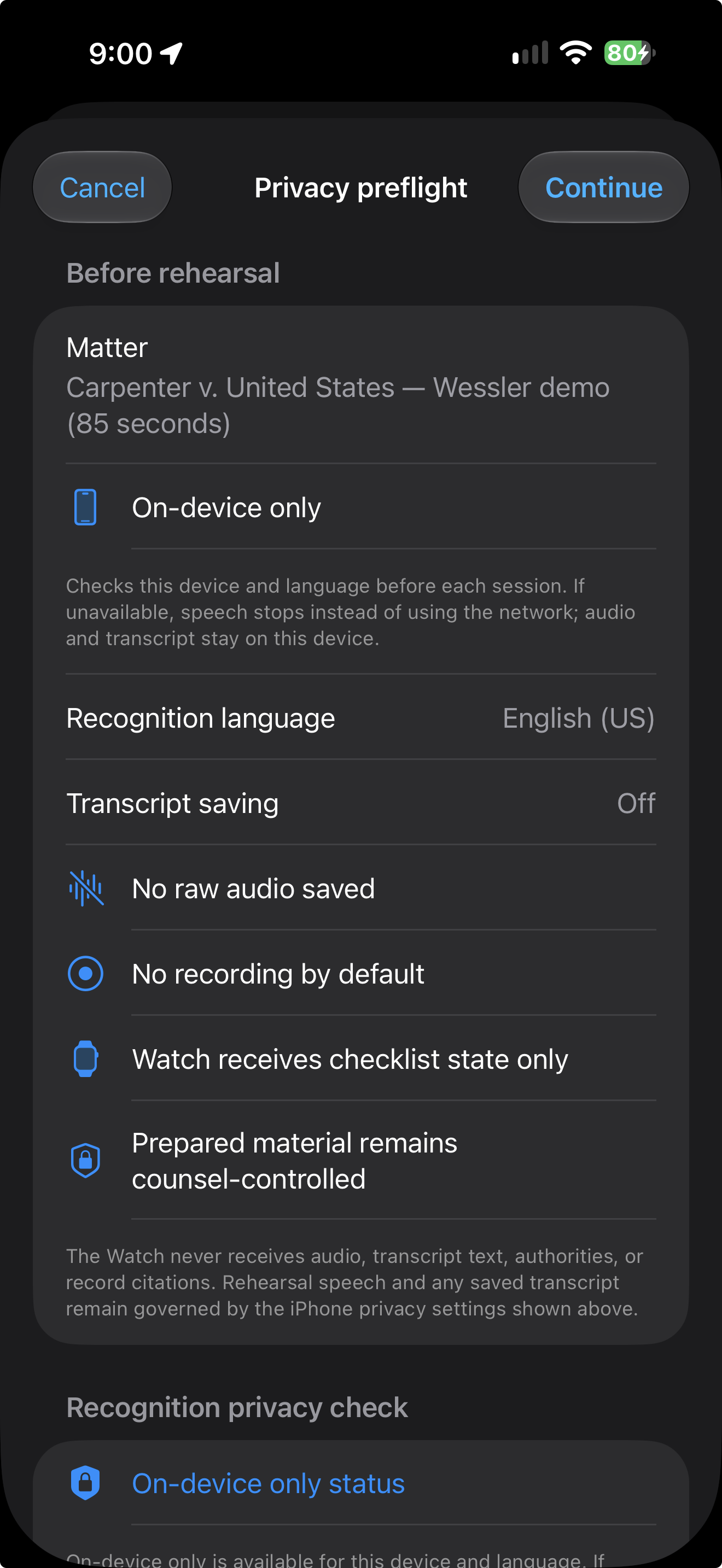
From the issue tree to the privacy preflight, the prepared material stays organized and easy to review on iPhone.
Privacy, made explicit
ArgueReady is built for counsel-controlled rehearsal. The app checks Apple’s speech capability for this device and language before recognition starts, and shows you the processing choice before you begin.
ArgueReady supports iPhone and iPad on iOS/iPadOS 17 or later. Apple reports on-device speech support at runtime for the selected device and language. ArgueReady checks before each rehearsal; if local recognition is unavailable, On-device only stops and tells you. It does not silently switch to network processing. Hybrid is a separate, explicit choice.
During an active counsel-controlled rehearsal, the microphone is used by the speech-recognition task. ArgueReady does not save raw microphone audio to disk, create a courtroom recording, or upload audio to an ArgueReady backend. If you explicitly choose Hybrid, audio may be handled by Apple’s network-assisted recognition service as described in that choice.
The live transcript is held in memory by default and discarded when the rehearsal ends. If Save transcript locally is enabled, the completed text is saved with the rehearsal report in the app’s protected storage on your iPhone or iPad. Matter data, argument plans, coverage, timing, and reports remain local.
A plain-language data map
ArgueReady does not require an ArgueReady account or product backend for the local-first workflow.
For counsel and teams
No. It tracks prepared requirements and retrieves counsel’s own notes, authorities, and record cites. The lawyer remains in control of the argument and the strategy.
The system can surface the prepared response or context card, then preserve the place in the main argument so counsel can return to the next unfinished obligation.
That is the intended workflow: compact, glanceable cards for the authorities, record references, and “do not concede” notes the team prepared before argument.
No. ArgueReady can use the microphone during a counsel-controlled rehearsal for speech recognition, but it does not save raw audio, create a courtroom recording, or upload audio to an ArgueReady backend by default.
ArgueReady supports iPhone and iPad on iOS/iPadOS 17 or later. Apple reports on-device support at runtime for the selected device and language, so there is no dependable model-only cutoff. ArgueReady checks before each rehearsal and shows the result.
On-device only stops and explains why. It does not silently switch to network processing. Hybrid is a separate setting that may use Apple’s network-assisted recognition only when you explicitly choose it.
Raw microphone audio is not saved by ArgueReady. The live transcript stays in memory by default and is discarded at the end of the rehearsal. If local transcript saving is enabled, the completed text is stored with the rehearsal report on the iPhone or iPad. Any export is initiated by you through the system share sheet.
The Watch companion receives checklist state, coverage, timing, and controls for the active workflow. It does not receive microphone audio, transcript text, authorities, or record citations.
Use ArgueReady with prepared material only, use On-device only for local speech recognition, or choose Hybrid when you explicitly allow Apple’s network-assisted recognition. You decide what is captured, what is stored, and where anything is exported.